Truth Table
The Truth Table tab enumerates all input assignments and shows the output for each row.
Overview
For a program with a trailing unnamed expression, Truth Table shows that expression. Otherwise it shows the selected binding. Each row is one assignment of all free input variables. The final column (Out) shows whether the binding evaluates to true (1) or false (0) for that assignment.
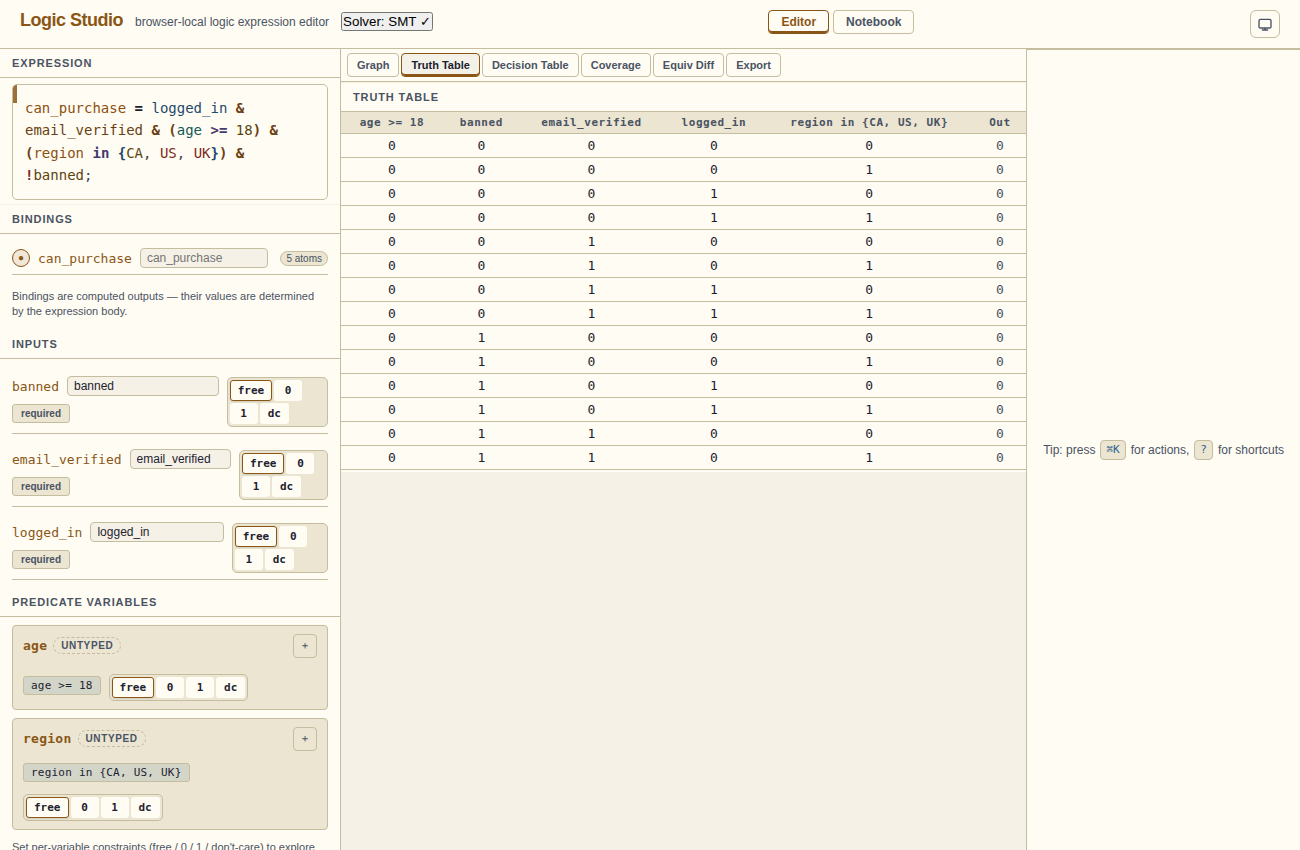
age >= 18) are columns alongside boolean inputs.Column types
- Boolean inputs: each free boolean variable is a column with values 0 or 1.
- Predicate atoms: each unique predicate (e.g.
age >= 18) is a column with values 0 or 1, representing whether that predicate is true for that row. - Out: the final output column. Green 1 means true, dimmed 0 means false, amber x means the output depends on a don't-care.
Don't-care rows
Rows where a don't-care variable affects the output appear in italics with an x in the Out column. The simplifier is allowed to assume either output for those rows.
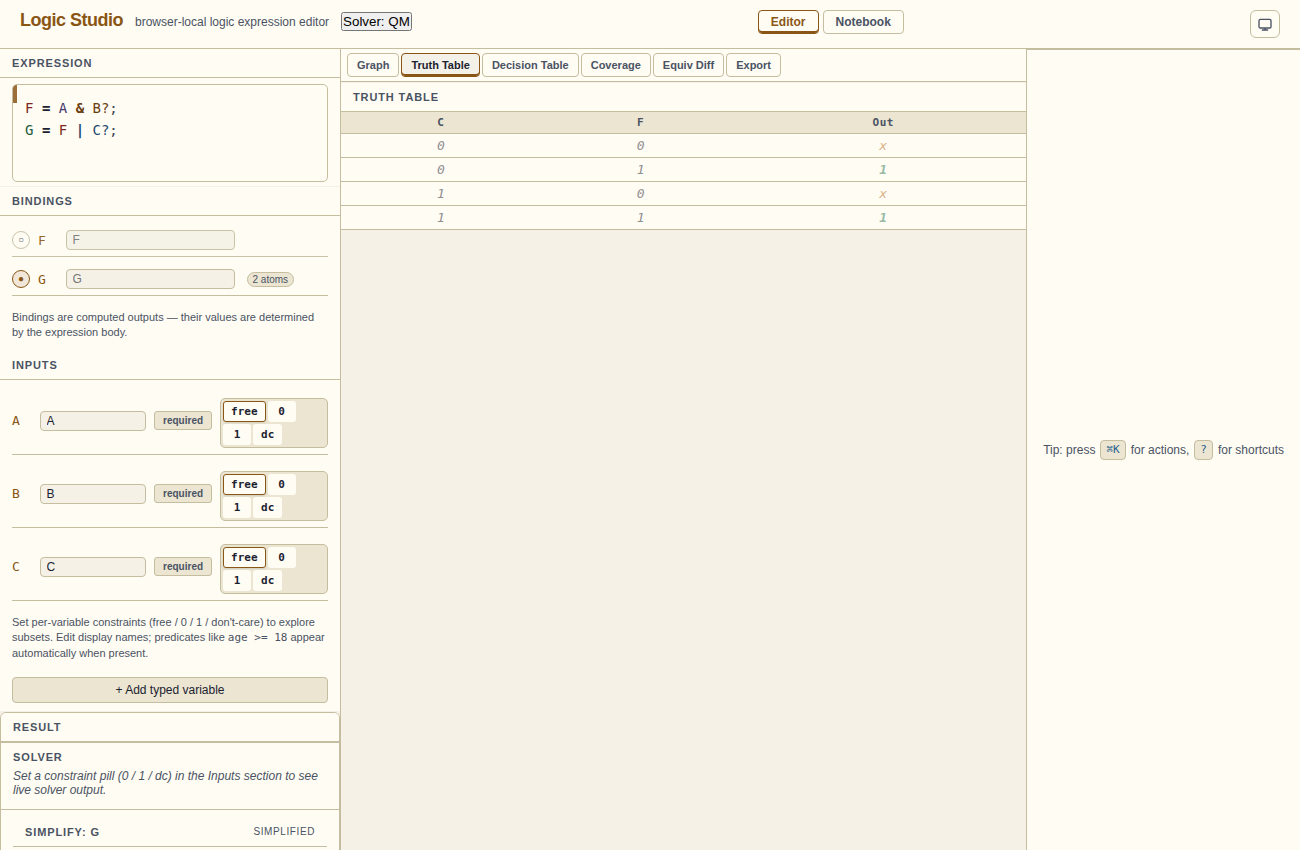
Predicate columns
When an expression contains predicate atoms (age >= 18, region in {CA, US}), the truth table treats each unique predicate as a boolean column. The rows enumerate all combinations of true/false values for those predicates plus the regular boolean inputs.
This means the truth table may include logically impossible rows — e.g. a row where age < 18 = 1 and age >= 18 = 1 simultaneously. Use SMT/Z3 to check integer relationships; the full Truth Table remains a Boolean combination view.
Constrained variables
Inputs set to 0 or 1 affect the live Result summary. The Truth Table continues to show all Boolean combinations; use the Result summary to inspect the rule under your chosen constraints.
Scale limits
The truth table has 2n rows, where n is the number of Boolean inputs and predicate columns. Each extra column doubles the row count. Large expressions can be slow or exceed browser resources; keep rules small or compare smaller parts separately.