Simplify
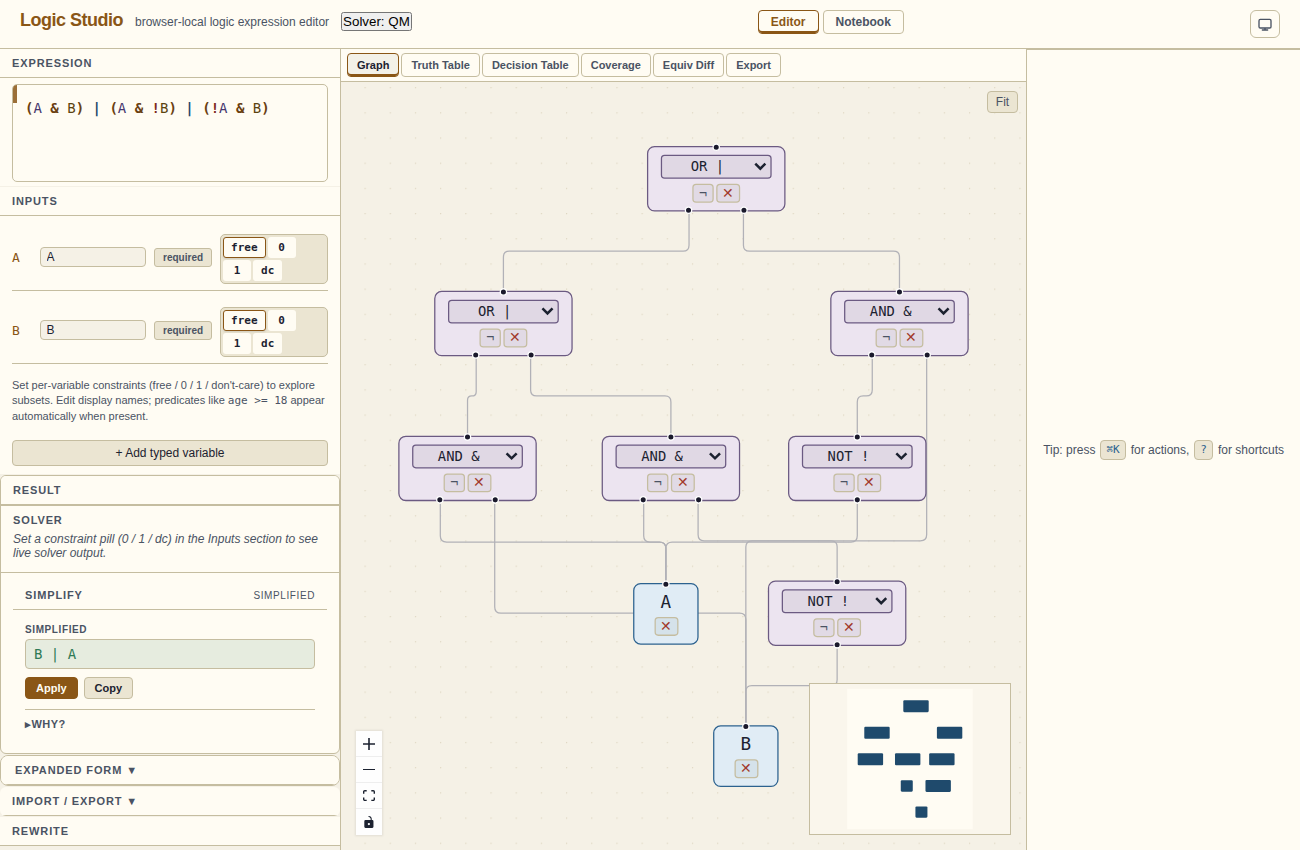
Simplify the active binding, apply the result, or expand the reasoning behind it.
Overview
The Simplify section is part of Result. It updates when you edit the expression, select another binding, or change the solver. For Boolean rules, it produces a two-level sum of products (SOP). With Z3 loaded, predicate rules can also be simplified using integer comparisons and numeric-set relationships.
Algorithm
Logic Studio uses Quine–McCluskey (QM) to find prime implicants, followed by Petrick's method to select a minimum two-level sum-of-products cover. The result is a two-level expression; circuit factoring is a separate task.
A Working… message appears while a result is being calculated. Z3 simplification is conservative: an equivalent expression may keep terms that could be simplified further.
Reading the result
The result is shown in a monospaced green box. It uses the same syntax as the editor. If the expression was already minimal, a "Minimal" badge appears next to the result.
A warning explains when simplification is skipped, including expressions above the 12-atom QM limit.
Applying the result
Click the Apply button or press ⌘↵ to paste the simplified expression back into the editor. The editor and all panels immediately update to the new expression.
Why? trace
Click the Why? disclosure below the result to see the step-by-step QM reasoning. Each step is a tagged card:
- IRRELEVANT: a variable that was removed because it doesn't affect the output
- COMBINE: two minterms that differ by one variable were combined into a prime implicant
- SELECT: a prime implicant was selected as part of the minimum cover
- COVER: the final cover — the selected prime implicants that cover all required minterms
Each step shows the expression at that point in inline code.
Don't-cares and simplification
Use the ? suffix to mark don't-care variables for QM simplification. The dc control in Inputs affects the constrained Result summary. Don't-care assignments from the suffix are passed to QM as optional minterms. The simplifier may include them in prime implicants to produce a smaller result, while preserving the required outputs.
Rewrite panel
Below the Simplify panel is the Rewrite panel. It offers one-click transformations of the current expression:
- CNF — Conjunctive Normal Form (product of sums)
- DNF — Disjunctive Normal Form (sum of products, non-minimal)
- NNF — Negation Normal Form (push NOTs to leaves)
- De Morgan — apply De Morgan's laws
- Elim → — eliminate implication operators
- Factor — extract common sub-factors
- Pseudocode — always-on block showing an if/else pseudocode rendering of the current expression
Clicking a rewrite applies it to the editor. Expand the before/after preview to inspect the change, and use its copy control to copy the rewritten form.
Limitations
Use SMT/Z3 for integer predicate relationships; see Predicates for the supported types.
For a large rule, simplify smaller bindings or compare candidate rewrites in Equiv Diff.