Coverage
Choose a coverage criterion and generate test vectors for the active expression.
Overview
Coverage analysis turns a logic expression into input assignments with expected outputs. Choose a strategy, generate the vectors, and read the coverage summary.
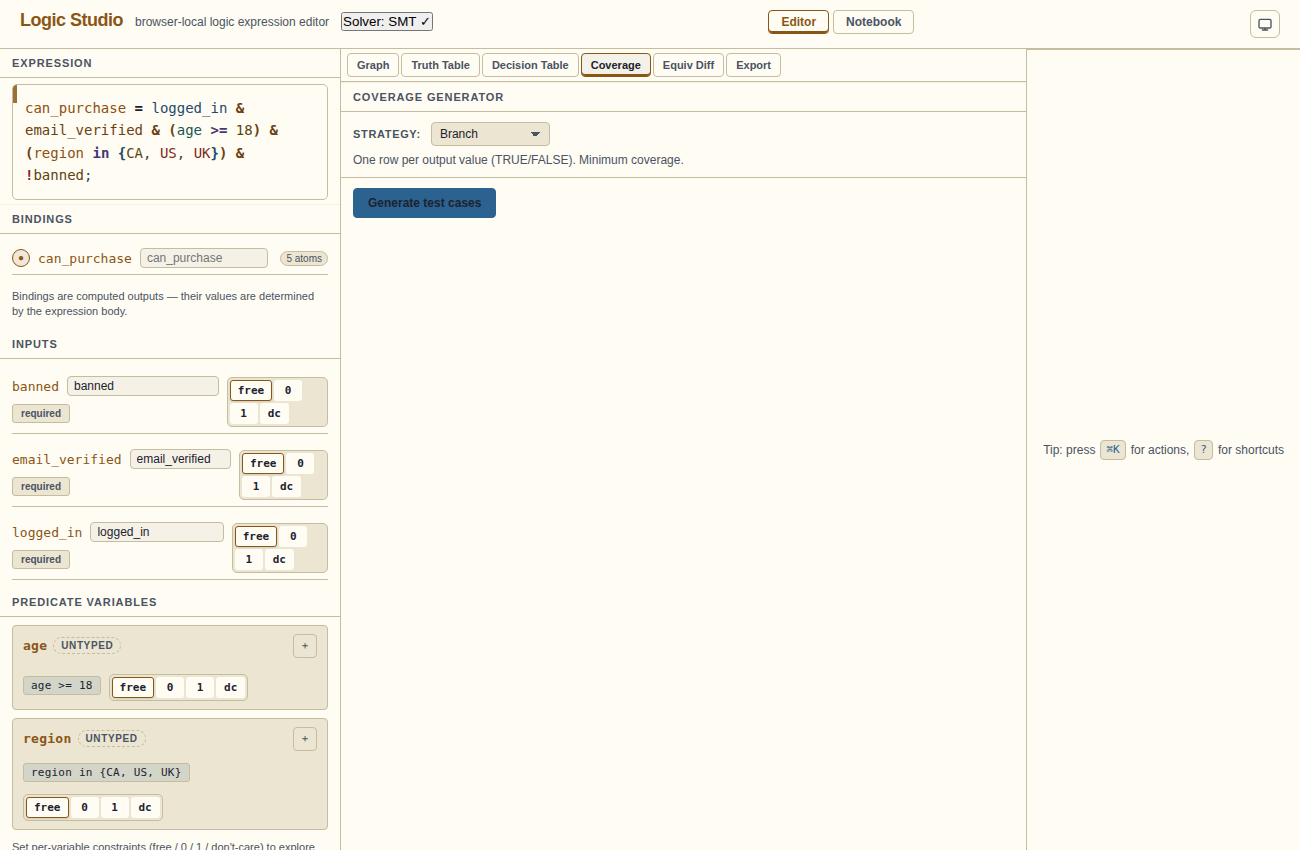
Coverage strategies
| Strategy | Description |
|---|---|
| Branch | One test for each achievable output value: true and false. |
| MC/DC | Modified Condition/Decision Coverage. Each condition independently affects the outcome. Pairs of tests show how a condition changes the decision. |
| Pairwise | Every pair of conditions takes all four combinations (T/T, T/F, F/T, F/F) in at least one test. Good for finding interaction defects. |
| Prime Implicant | Each prime implicant of the expression is covered by at least one test. Based on the QM simplification output. |
Generating test vectors
- Select a coverage strategy from the dropdown.
- Click Generate.
- Read the generated inputs, outputs, and coverage summary.
Reading the table
Each row is one test vector — one assignment of all input variables. Columns are the input variables (0 or 1 for Boolean and predicate columns). The last column shows the expected output (0 or 1).
A summary line above the table shows how many vectors were generated and which criterion they cover.
Exporting test code
Copy or download CSV, or choose Jest / Vitest for JavaScript or Pytest for Python to copy or download a test skeleton.
Limitations
- Coverage uses the current expression’s Boolean and predicate columns. Check integer relationships separately with SMT/Z3.
- For large expressions, MC/DC vector generation can be slow.