Bindings
A binding is a named logic expression. You can have one or many; all panels can target any of them.
What is a binding?
In Logic Studio every expression is a binding. An unnamed expression like A & B creates a single anonymous binding. A named binding like F = A & B; lets you give it an identifier that can be referenced later and targeted individually by the analysis panels.
Unnamed expression
If you type a single expression without a name, Logic Studio treats it as a single binding. All panels (graph, truth table, simplify, etc.) analyse this one expression:
(A & B) | !CNamed bindings
Separate bindings with semicolons. Each name is defined exactly once:
F = A & B;
G = F | !C;
H = G -> D;
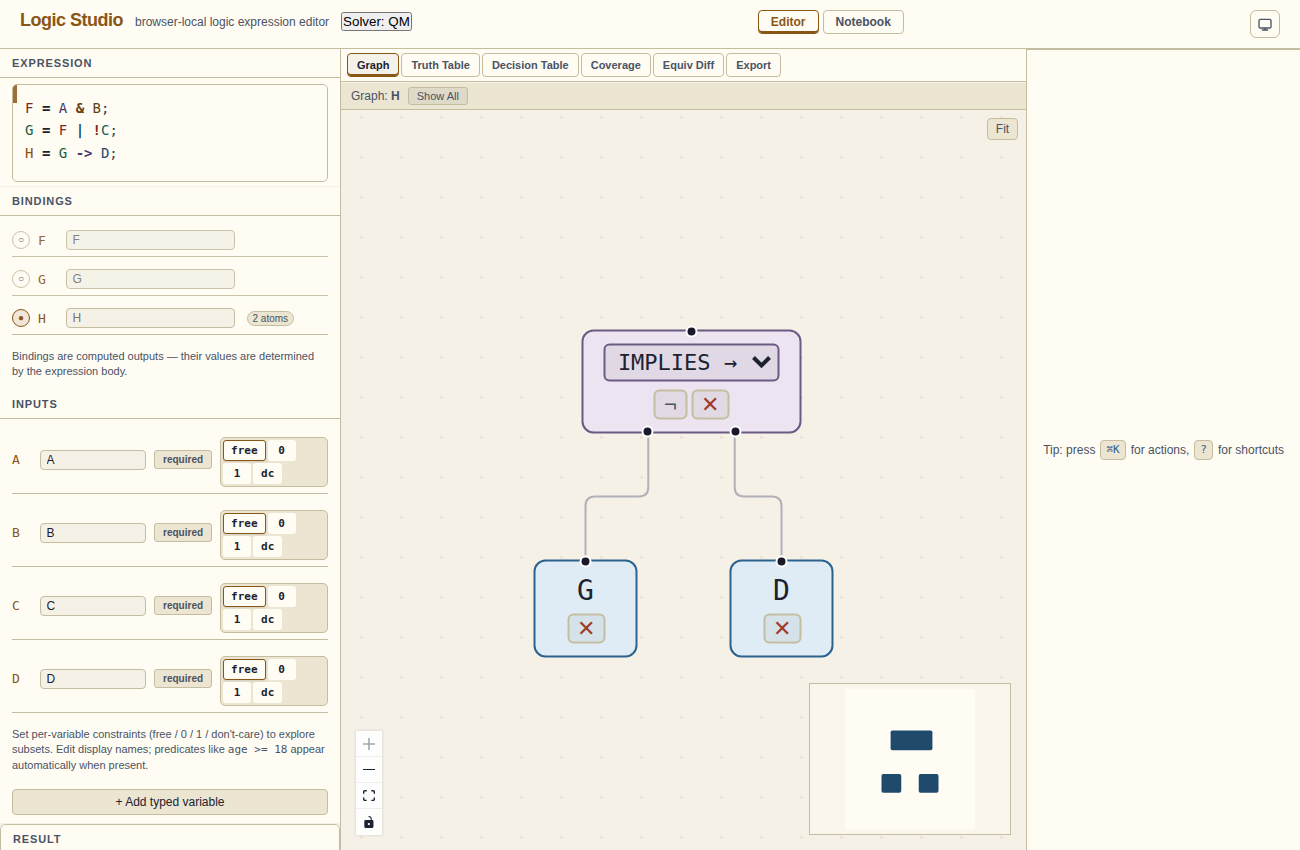
Later bindings can reference earlier ones. In this example, G uses F and H uses G. The graph will show the full expanded tree for whichever binding is active.
Active binding
When a program has multiple bindings, the Bindings section in the left panel shows a row per binding. A radio button (⊙) marks which one is active. The graph, simplify panel, and truth table all operate on the active binding.
To change the active binding:
- Click the radio button next to the binding name in the Bindings panel, or
- Open the ⌘K palette and search "Set active binding → <name>"
The active binding's row shows its display name and a badge with the atom count (number of unique input variables).
H) is built from its dependency chain (F → G → H), activate H. The graph shows the fully-expanded tree, not just the direct body.
Show-all DAG
The Graph tab has a "Show all" toggle button in the target bar above the canvas. When active, Logic Studio renders a single directed acyclic graph (DAG) containing all bindings as distinct subgraphs, sharing common subexpressions. This is useful for understanding how bindings relate to each other.
In Show-all mode the active-binding selector in the graph target bar is disabled. Each binding's root node is labelled with the binding name.
Display names
Each variable has an editable display name field in the Inputs section. The display name appears in graph node labels and truth table column headers. The raw identifier in the expression is unchanged — display names are cosmetic only.